%201.png)
Key takeaways
- Industry benchmarks put average visitor-to-demo conversion at 1.5–4%, with top-quartile SaaS sites converting 8–15% of the same traffic — a five-to-tenfold spread.
- The three biggest leaks are a form with more than four fields, a reply that takes hours instead of minutes (63.5% of demo requests get no reply at all), and a page that never shows the product before asking for a meeting.
- Track demo-to-SQL rate alongside raw request volume — a rising request count from a shorter form or looser targeting can mask a worsening qualification problem if it falls well below the roughly 13% B2B SaaS MQL-to-SQL median.
The fastest way to increase demo requests on a B2B SaaS website is to fix the three places most sites leak them: a form that's too long, a reply that comes too late, and a page that never shows what the product actually does. Fixing all three is worth more than any redesign — industry benchmarks put average visitor-to-demo conversion at just 1.5–4%, with top-quartile sites converting 8–15% of the same traffic. This guide walks through what actually moves that number, in the order it matters most.
Demo conversion benchmarks: where you stand
Before optimizing anything, it helps to know what "good" looks like. A 2026 benchmark analysis by Growth Spree puts average B2B SaaS demo-request conversion at 1.5–4% of website visitors, with top-quartile performers reaching 8–15% — a five-to-tenfold spread between an average page and a genuinely good one. Further down the funnel, RevenueHero's analysis of over 1 million inbound form submissions found the median qualified-to-booked rate sits at 62%, with the top 10% of teams hitting roughly 80%.
Those two numbers describe different stages of the same leak: getting a visitor to submit the form, and getting a submitted lead onto a calendar. Most teams focus their redesign budget on the first stage and leave the second — arguably the cheaper fix — untouched. The rest of this guide covers both.
Fix the form first
Field count is the single most-tested variable in demo-form conversion, and the published research is consistent: every field beyond four cuts completion by roughly 10–15%. The form that converts best asks for name, work email, company, and one qualifying question — nothing else. Job title, phone number, company size, and "tell us about your use case" belong in the qualifying call, not the form standing between a visitor and that call.
One 2026 industry analysis (Perspective AI) tracked median B2B SaaS demo-form completion falling from 4.7% in 2022 to 2.1% in 2026 — a trend worth taking seriously even if you discount the exact figures, since it lines up with the broader shift toward shorter, lower-friction intake across the category.
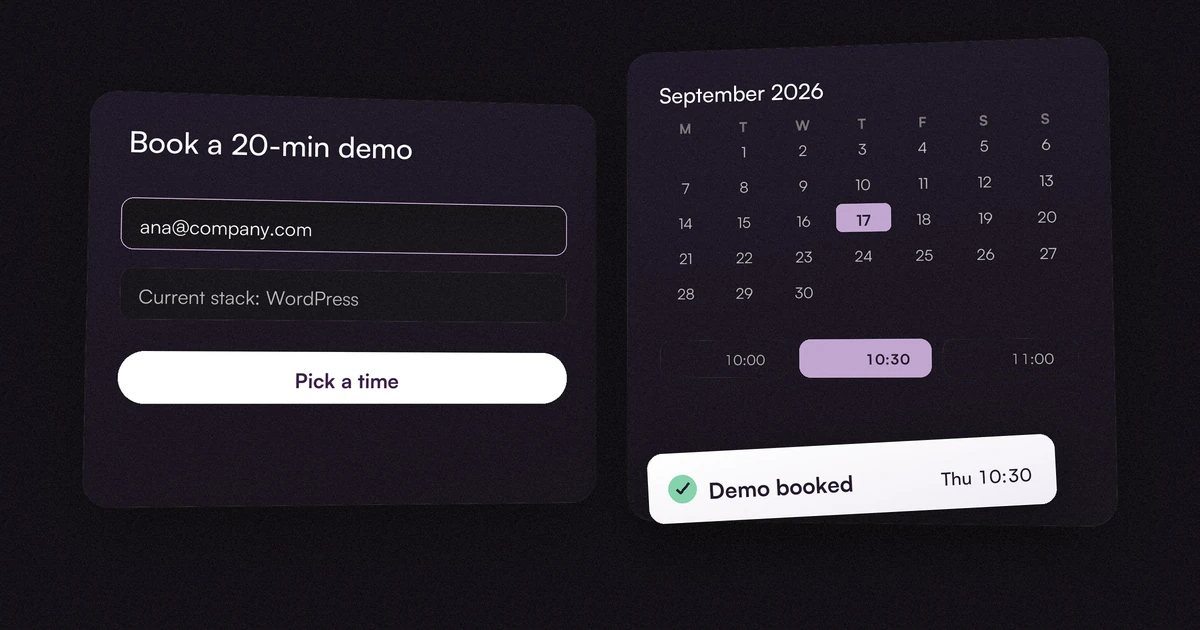
Swapping a static form for an embedded calendar (Calendly, HubSpot Meetings, Chili Piper) compounds the effect: the visitor sees an open slot and books it in the same motion, instead of submitting a form and waiting for a human to reply. That immediacy alone tends to lower no-show rates, because the buyer chose the time rather than having it assigned to them later.
Respond like the deal depends on it — because it does
A fast page means nothing if the lead it generates sits in an inbox. RevenueHero's study of 1,000 B2B companies found that 63.5% never responded to a demo request at all, and the ones that did respond took an average of 29 hours. The competitive benchmark isn't 29 hours — it's 5 minutes, and buyers notice the difference: research on response-time impact puts 78% of B2B buyers choosing whichever vendor replies first, regardless of product fit.
This is the cheapest fix in this article. It costs nothing to build, only requires deciding that a demo request routes to a real person's phone the moment it lands, on evenings and weekends included if your buyers are shopping then. If your team can't staff instant response, an automated instant-confirmation email with a same-day calendar link is a reasonable floor — silence for 29 hours is not.
Put social proof where the hesitation is, not just on the homepage
Logos on the homepage rarely change a decision made on the demo page. Published conversion research points to a specific pattern instead: place a proof point — a named customer, a specific outcome — at the exact moments of highest hesitation: next to the primary CTA, on the pricing page beside the recommended plan, and directly on the demo request page itself. Analyses of this placement pattern report conversion lifts in the 20–40% range when proof sits at the decision point instead of being buried in a testimonials carousel elsewhere on the site.
Kill every exit that isn't the demo
Once someone lands on your demo or pricing page with buying intent, every competing link is a chance to lose them. Full navigation, footer mega-menus, and unrelated blog CTAs all give a warm visitor a reason to wander off mid-decision. The pages built specifically to convert — the demo request page, and often the pricing page — should carry a stripped header (logo plus one way back to the homepage) and no footer sitemap. Every other page on the site can keep full navigation; these two don't need it.
Show the product before you ask for a meeting
"Book a call to see the product" is an unnecessary barrier for anyone who's still deciding whether it's worth a meeting at all. A short product tour, annotated screenshots, or a self-serve interactive walkthrough on the same page lets a skeptical visitor self-qualify before requesting time on a calendar — and the buyers who do book after seeing the product arrive better qualified, because they already know roughly what they're getting. This matters more every year: buyer-preference research puts 61% of B2B buyers favoring a rep-free evaluation experience where possible, with a live call reserved for once they're already convinced.
Match the message from click to page
A visitor who clicked an ad or homepage CTA promising a specific outcome should land on a page that repeats that promise in the headline — not a generic "See how our platform works." Message-match sounds obvious and is routinely ignored: audit your top three traffic sources (paid search, homepage CTA, a specific landing page) and check that each one's headline matches what the visitor was told to expect one click earlier. A mismatch here quietly inflates your bounce rate before any of the fixes above get a chance to work.
Optimize for qualified demos, not raw volume
A form that converts at 6% but fills your calendar with the wrong companies is worse than one that converts at 3% with the right ones — the math is downstream, not on the page. Demo requests function as the MQL stage in most B2B SaaS funnels, and published benchmarks put the B2B SaaS MQL-to-SQL rate at roughly 13% — if yours sits well below that, the fix usually isn't the form, it's the qualifying question on it: asking company size, current tooling, or timeline filters out visitors who were never going to buy before they ever reach a rep's calendar. Track that downstream rate alongside raw request volume, or a redesign that "worked" by request-count alone can quietly make your pipeline worse.
A 30-day testing plan
In rough priority order, cheapest and highest-leverage first:
- Week 1: Audit response time. Fix the process gap before touching any design — it's free and it's usually the biggest single leak.
- Week 1: Cut the demo form to name, work email, company, and one qualifying question.
- Week 2: Replace the static form with an embedded calendar booking tool.
- Week 2: Strip navigation on the demo and pricing pages.
- Week 3: Add one specific, named proof point directly beside the demo CTA.
- Week 3: Audit message match across your top three traffic sources.
- Week 4: Add a short product walkthrough or annotated screenshots above the form.
- Ongoing: Track demo-to-SQL rate, not just demo request volume, before calling any change a win.
We're a B2B Webflow agency, and this is the same list we work through on every SaaS rebuild — it's part of why we publish 30-40% demo-conversion lifts within 60 days of launch as our target outcome. See our work, check transparent pricing, or tell us about your site and we'll point out which of these eight items is costing you the most before you commit to anything. If your whole site is overdue for a rebuild rather than a page-level fix, our B2B SaaS website redesign guide covers how to sequence that safely.
| Tactic | Published impact | Source |
|---|---|---|
| Cut the form to 4 fieldsname, email, company, one qualifier | Each field beyond four cuts completion by roughly 10–15% | Form-length testing research |
| Respond within minutes, not hours | 63.5% of demo requests get no reply at all; repliers average 29 hours; 78% of buyers pick whoever replies first | RevenueHero, 1,000 B2B companies |
| Swap the form for calendar booking | Compounds the speed effect and tends to lower no-shows | Calendly / HubSpot Meetings pattern |
| Place proof at the decision point, not just the homepage | 20–40% conversion lift when proof sits at the CTA instead of a testimonials carousel | Published placement research |
| Show the product before the call | 61% of B2B buyers prefer a rep-free evaluation where possible | Buyer-preference research |
FAQ
What's a good demo request conversion rate for a B2B SaaS website?
Published 2026 benchmarks put the average at 1.5–4% of website visitors, with top-quartile SaaS sites converting 8–15%. Below 1.5%, the form, page speed, or message match usually has a specific, fixable problem rather than needing a full redesign.
How many fields should a demo request form have?
Four: name, work email, company, and one qualifying question. Published research on form-length testing shows each additional field beyond that typically cuts completion by 10–15%.
Does response time actually affect demo conversion?
Yes, more than most page-level changes. One study of 1,000 B2B companies found 63.5% never responded to a demo request at all, and those that did averaged 29 hours — while research on buyer behavior shows 78% of buyers go with whichever vendor responds first.
Should I use a form or a calendar booking tool for demo requests?
A calendar tool (Calendly, HubSpot Meetings, Chili Piper) generally outperforms a static form followed by manual outreach, because the visitor locks in a specific time immediately instead of waiting on a reply — which also tends to reduce no-shows.
Should I optimize for more demo requests or better-qualified ones?
Track both. Raw volume is easy to inflate with a shorter form or looser targeting, but if your downstream MQL-to-SQL rate falls well below the roughly 13% B2B SaaS median (a reasonable proxy once demo requests are your MQL trigger), a rising request count is masking a worsening qualification problem.